The Future of Coding in 2027: Why AI Agents Will Change How Students Learn to Build
- 22 August 2026
- Published by tutree
- STEM.org Accredited™ Partner

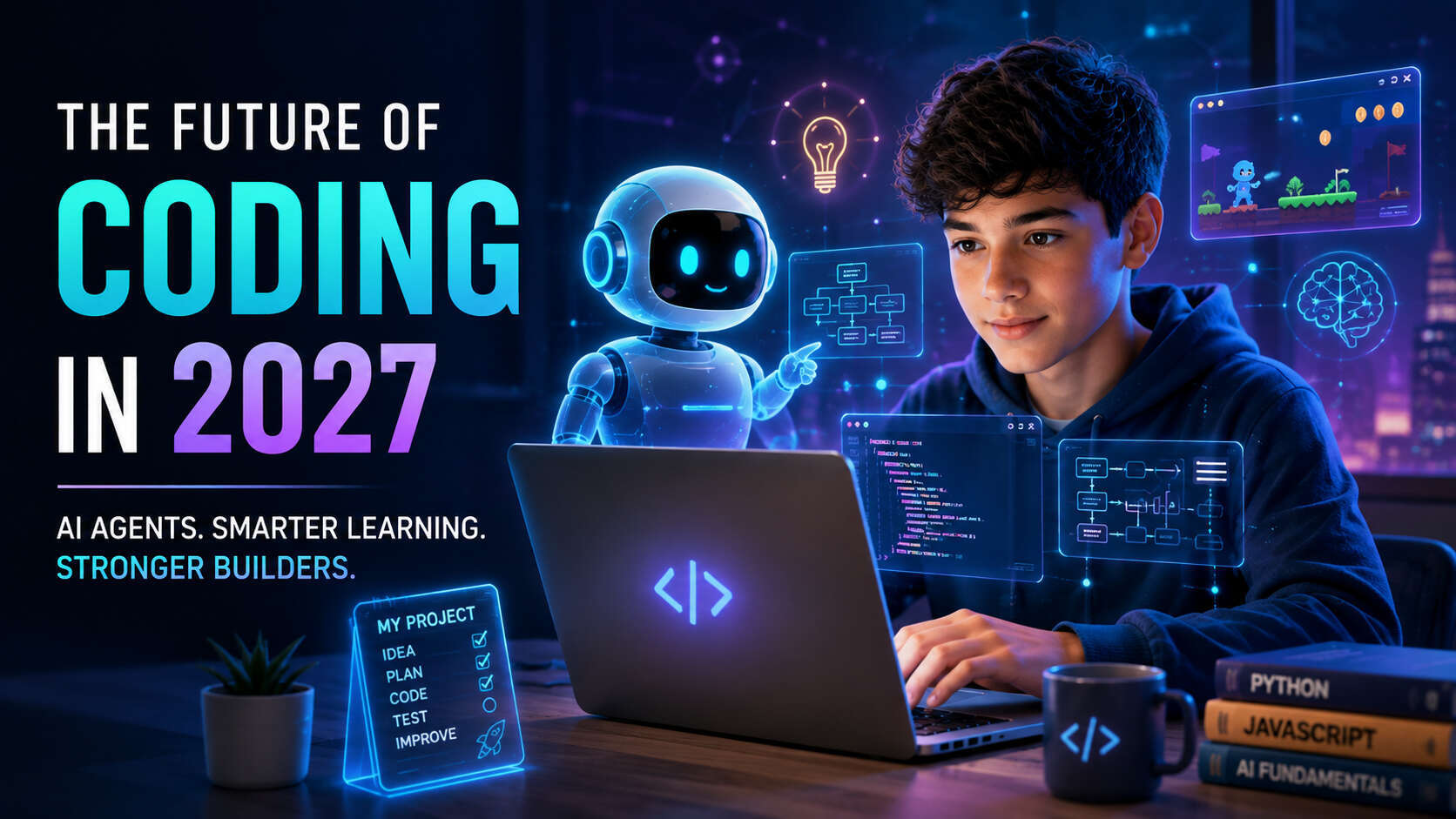
The Future of Coding in 2027: Why AI Agents Will Change How Students Learn to Build
Imagine a student who wants to build a simple game. Just a few years ago, that meant learning syntax, writing every line manually, debugging errors for hours, and hoping the final product actually worked. Today, that same student can describe their idea to an AI, get a working prototype in minutes, and spend their time refining the gameplay instead of wrestling with semicolons.
This shift is accelerating. AI coding agents—systems that can plan, write, test, and iterate on code with increasing autonomy—are moving from experimental tools to everyday development partners. Industry research suggests that by 2027, AI could assist with or generate up to 65% of the code developers ship, and more than 65% of engineering teams using agentic coding may treat traditional IDEs as optional.
For parents and students, this raises an urgent question: If AI can write code, why should students learn coding in 2027?
The short answer: because understanding how software works, how to think logically, how to debug, and how to direct AI will become more valuable, not less. This article explores what AI coding agents can do today, where the technology is heading, and what students should focus on to thrive as builders in an AI-first world.
What Are AI Coding Agents?
Let's start with the basics. An AI coding agent is a software system that can perform multi-step development tasks with a degree of autonomy. Unlike traditional code completion tools that suggest the next line or function, AI agents can:
-
Understand a larger development task
-
Plan the steps needed to complete it
-
Generate code across multiple files
-
Run tests and analyze results
-
Find and fix bugs
-
Iterate toward a working solution
Think of it this way: traditional programming is like writing every sentence of an essay yourself. AI coding assistants are like having a smart autocomplete that suggests words or phrases. Vibe coding—a term that's gained traction in 2026—describes a workflow where developers describe what they want in natural language and let AI generate most of the code, focusing on the "vibe" or overall direction rather than syntax details. AI coding agents take this further: they're more like a collaborative partner who can draft sections, revise based on feedback, check for errors, and propose improvements—all while you stay in the driver's seat.
It's important to note that capabilities vary significantly by tool, and the technology is developing quickly. Some agents work best for small, well-defined tasks. Others can handle more complex, multi-file projects. None are perfect, and all benefit from human oversight.
How AI Coding Agents Are Different From Traditional AI Coding Tools
The evolution from basic AI coding assistants to full agentic workflows represents a fundamental shift in how software gets built.
Traditional AI coding tools (like early autocomplete features) primarily suggest code as you type. They're helpful for speeding up routine tasks, but they don't understand the broader context of your project.
Modern AI coding agents, by contrast, can:
-
Understand context across multiple files in a codebase
-
Plan a sequence of steps to accomplish a goal
-
Generate and modify code in several places at once
-
Run tests and interpret the results
-
Identify bugs and propose fixes
-
Iterate based on feedback until the solution works
According to JetBrains' 2026 Developer Ecosystem Survey, 90% of professional developers were using AI coding agents at work at least weekly by mid-2026, with 68% using them daily. Gartner predicts that by 2027, 75% of developers will be orchestrating agents rather than writing code manually.
But here's the crucial distinction: faster code generation doesn't automatically mean faster software delivery. Review, testing, architecture, and debugging can become the new bottlenecks. This is why human understanding remains essential—even (especially) when AI does much of the heavy lifting.
How Students May Build Software Differently in 2027
Let's make this concrete with an example.
Scenario: A 14-year-old student wants to create a simple educational game to help younger kids practice multiplication.
Traditional approach (pre-AI):
-
Learn the programming language syntax
-
Plan the game structure manually
-
Write every function and line of code
-
Debug errors one by one
-
Test repeatedly
-
Hope the final product works
AI-assisted approach (2027):
-
Describe the game idea to an AI agent ("I want a multiplication game with levels, timers, and rewards")
-
Work with the AI to plan features and structure
-
Ask the AI to generate an initial version
-
Test the game and identify problems
-
Ask the AI to make specific improvements ("Add a hint system" or "Make level 3 harder")
-
Review the changes and debug any issues
-
Customize the experience with personal touches
-
Explain how the final project works
The key point: The student is still the builder and decision-maker. AI becomes a powerful development partner, but the student defines the problem, evaluates the output, makes creative decisions, and takes ownership of the final product.
This shift doesn't eliminate the need for coding knowledge—it changes how that knowledge is applied. Students who understand fundamentals can direct AI more effectively, spot problems faster, and build more ambitious projects.
Will Students Still Need to Learn Coding in 2027?
Yes—but the way students use coding may change.
This builds directly on the question we explored in our previous article, Is coding still worth learning in the AI era?. The answer remains yes, but the emphasis shifts from memorizing syntax to developing deeper understanding.
Here's why fundamentals still matter:
-
Logic: Understanding how conditions, loops, and algorithms work helps students evaluate whether AI-generated code actually makes sense.
-
Variables and functions: Knowing what these concepts mean allows students to read, modify, and extend AI-generated code confidently.
-
Debugging: When something breaks (and it will), students need enough understanding to identify what went wrong and how to fix it.
-
Testing: Knowing how to verify that code works correctly is a skill AI can assist with but not replace.
-
Computational thinking: Breaking problems into smaller pieces, recognizing patterns, and designing step-by-step solutions are timeless skills that apply whether you're writing code manually or directing an AI.
Educational authorities worldwide are taking note. Japan's Ministry of Education, for example, recently emphasized that programming learning will become more important in an AI era—not less—because students need to "logically and critically examine, evaluate, and improve what has been generated or created.
The goal isn't to produce students who can recite every Python keyword. It's to develop AI-literate builders who can think critically, solve problems, and use technology responsibly.
Vibe Coding vs. Learning to Code
You may have heard the term "vibe coding"—a workflow where developers describe what they want in natural language and let AI generate most of the code, focusing on the overall direction rather than syntax details.
Is vibe coding good for students? It depends on how it's used.
Benefits of vibe coding for students:
-
Helps students build projects faster and stay motivated
-
Lowers the barrier to entry for beginners
-
Allows focus on creativity and problem-solving rather than syntax
-
Can accelerate learning by letting students experiment with more advanced concepts earlier
Limitations and risks:
-
Blindly accepting AI-generated code can create problems (bugs, security issues, inefficient solutions)
-
Students may not develop deep understanding if they never engage with the code
-
Over-reliance can make it hard to debug or extend projects independently
-
Without fundamentals, students can't evaluate whether the AI's output is actually good
The balanced approach: Vibe coding can help students build faster, while coding knowledge helps students understand what they are building. The most effective learners use AI as a learning partner rather than a shortcut—asking AI to explain code, predict what it will do, and challenge their thinking.
The Most Important Coding Skills for Students in 2027
Based on current industry trends and educational research, here are the skills that will matter most for student builders in 2027:
1. Computational Thinking
What it means: Breaking complex problems into smaller pieces, recognizing patterns, abstracting away irrelevant details, and designing step-by-step solutions.
Why it matters: This is the foundation of all programming—and all problem-solving. Whether you're writing code manually or directing an AI, computational thinking helps you approach challenges systematically.
How to develop it: Start with visual block-based coding (like Scratch) for younger students, then progress to text-based languages. Practice breaking everyday problems into logical steps.
2. Problem-Solving
What it means: Identifying the real problem, exploring multiple approaches, and persisting through challenges.
Why it matters: AI can generate code, but it can't (yet) decide what to build or why. Problem-solving is the human skill that drives all meaningful projects.
How to develop it: Work on open-ended projects where there's no single "right" answer. Practice debugging by treating errors as puzzles to solve, not failures.
3. Programming Fundamentals
What it means: Understanding core concepts like variables, functions, conditions, loops, data structures, and algorithms.
Why it matters: These are the building blocks of all software. Even if AI writes most of the code, students need enough understanding to read, evaluate, and modify it.
How to develop it: Start with age-appropriate languages (block-based for ages 6-8, Python for ages 10+). Focus on concepts, not just syntax.
4. Debugging and Testing
What it means: Systematically identifying errors, understanding why they occur, and verifying that code works correctly.
Why it matters: AI-generated code isn't perfect. Students who can debug effectively will build more reliable projects and learn faster from mistakes.
How to develop it: Practice reading error messages carefully. Use a "predict, test, analyze" approach: guess what the code will do, run it, then check if you were right.
5. AI Prompting and Instruction
What it means: Communicating clearly with AI to get useful results—describing problems precisely, providing context, and iterating based on output.
Why it matters: The quality of AI output depends heavily on the quality of input. Students who can prompt effectively will get better results and learn more from the interaction.
How to develop it: Practice describing problems in detail before asking for solutions. Ask AI to explain its reasoning, not just provide code.
6. Code Evaluation
What it means: Reading AI-generated code critically and assessing whether it's correct, efficient, secure, and appropriate for the task.
Why it matters: As AI generates more code, the ability to evaluate output becomes a key differentiator between effective and ineffective builders.
How to develop it: Review AI-generated code line by line. Ask: "Does this make sense? Could it be improved? What could go wrong?"
7. Creativity and Product Thinking
What it means: Imagining what to build, designing user experiences, and thinking about the purpose and impact of a project.
Why it matters: AI can execute, but humans define intent. Creative thinking is what turns ideas into meaningful products.
How to develop it: Work on projects that solve real problems or express personal interests. Think about who will use your project and what experience you want to create.
8. Communication and Collaboration
What it means: Explaining your thinking, working with others, and documenting your work clearly.
Why it matters: Software development is increasingly collaborative—whether with other humans or with AI agents. Clear communication makes teamwork (human or AI) more effective.
How Students Can Use AI Without Becoming Dependent on It
This is one of the most important questions for parents and educators. Here's practical advice for using AI responsibly while learning:
-
Try solving a problem first before asking AI for help. This builds independence and helps you understand where you're stuck.
-
Ask AI for hints before asking for complete code. For example: "What concept should I use here?" instead of "Write this function for me."
-
Ask AI to explain code rather than just accepting it. Understanding why something works is more valuable than having working code you can't explain.
-
Predict what the code will do before running it. This builds intuition and helps you catch errors faster.
-
Test AI-generated code thoroughly. Don't assume it works—verify it yourself.
-
Look for bugs intentionally. AI can make mistakes. Learning to spot them is a critical skill.
-
Rewrite parts independently. After AI generates code, try rewriting sections yourself to reinforce understanding.
-
Build some projects without AI. Occasional "AI-free" projects help ensure you're developing real skills, not just prompt engineering.
-
Ask AI to challenge your thinking. For example: "What's a better way to solve this?" or "What could go wrong with this approach?"
-
Use AI as a learning partner rather than a shortcut. The goal is to learn, not just to finish.
The key principle: AI should accelerate learning, not replace it. When used thoughtfully, AI can help students tackle more ambitious projects, get faster feedback, and explore concepts they might not encounter otherwise.morningstar+1
What Coding Projects Can Students Build With AI?
Here are 7 project ideas that combine AI assistance with genuine learning:
1. Educational Games
What to build: A multiplication practice game, a vocabulary quiz, or a science trivia app.
What students learn: Game logic, user interaction, scoring systems, and how to structure interactive applications. AI can help generate the initial framework, but students design the gameplay and refine the experience.
2. Interactive Websites
What to build: A personal portfolio, a fan page for a hobby, or a community resource site.
What students learn: HTML/CSS structure, responsive design, and how to organize content. AI can generate templates, but students make creative decisions about layout and functionality.
3. Study Planners
What to build: An app that helps organize homework, track deadlines, or manage study sessions.
What students learn: Data storage, date/time handling, and user interface design. This is a practical project that solves a real problem.
4. Quiz Applications
What to build: A custom quiz on any topic—history, sports, movies, or school subjects.
What students learn: Question/answer logic, scoring, and how to structure data. Students can experiment with different question types and difficulty levels.
5. Simple AI-Powered Tools
What to build: A text summarizer, a sentiment analyzer, or a basic chatbot.
What students learn: How AI APIs work, how to integrate external services, and the basics of machine learning concepts. This bridges coding and AI literacy.
6. Data Visualization Projects
What to build: Charts showing sports statistics, weather patterns, or personal habits.
What students learn: How to work with data, create visual representations, and tell stories with numbers. AI can help with the visualization code, but students choose the data and interpret the results.
7. Personal Portfolio Websites
What to build: A site showcasing projects, skills, and interests.
What students learn: Web development fundamentals, design principles, and how to present work professionally. This is a practical skill with long-term value.
For each project, the focus should be on learning through building, not just generating a final product. AI accelerates the process, but students should understand what they've created and be able to explain how it works.
What Should Parents Look for in a Coding Program in 2027?
If you're evaluating coding programs for your child, here's what to prioritize:
-
Coding fundamentals: Look for programs that teach core concepts (variables, functions, loops, conditions) rather than just surface-level syntax.
-
Project-based learning: Students learn best by building real projects, not just completing isolated exercises.
-
Problem-solving emphasis: The best programs teach students how to think, not just what to type.
-
Personalized instruction: Every student learns at a different pace. 1-on-1 coding tutoring allows for customized guidance that adapts to your child's needs and goals.
-
AI literacy: Programs should teach students how to use AI tools responsibly—as learning partners, not shortcuts.
-
Debugging skills: Look for curricula that treat errors as learning opportunities and teach systematic debugging.
-
Creativity: The best coding education encourages students to build projects they care about, not just follow templates.
-
Independent thinking: Programs should gradually reduce scaffolding, helping students become self-sufficient builders.
How 1-on-1 coding tutoring helps: Personalized instruction allows students to learn at their own pace, ask questions freely, and receive immediate feedback on their work. A dedicated coding tutor can adapt lessons to your child's interests, challenge them appropriately, and help them develop both technical skills and confidence.
At Tutree, we combine all of these elements in our personalized online coding classes. Our 1-on-1 approach ensures that every student receives tailored guidance, builds projects they're excited about, and develops the skills they'll need to thrive as builders in an AI-first world.
Ready to see how your child learns with personalized coding guidance? Book a free trial session with Tutree and discover a learning approach built around your child's pace and goals.
The Future Programmer May Look Different
Let's step back and think about the bigger picture.
The future of programming isn't necessarily humans OR AI. It's increasingly likely to be humans + AI.
Future programmers may spend less time writing repetitive code and more time:
-
Defining problems: What should we build, and why?
-
Designing solutions: What's the best architecture for this task?
-
Directing AI agents: Communicating intent clearly and iterating based on output
-
Reviewing code: Evaluating AI-generated code for correctness, efficiency, and security
-
Testing software: Ensuring everything works as intended
-
Debugging: Identifying and fixing problems when they arise
-
Making decisions: Choosing between trade-offs and prioritizing features
-
Building products: Turning ideas into reality
-
Thinking creatively: Imagining what's possible and pushing boundaries
Nvidia CEO Jensen Huang recently put it succinctly: "Systems thinking is the new coding." In other words, the ability to understand how components fit together, how data flows through a system, and how to orchestrate complex workflows will matter more than memorizing syntax.
This doesn't mean coding fundamentals are obsolete. It means they're the foundation for higher-level thinking. Students who understand the basics can direct AI more effectively, evaluate output more critically, and build more ambitious projects.
The students who thrive in 2027 and beyond won't be those who avoid AI or those who rely on it blindly. They'll be the ones who combine coding knowledge with AI literacy, using both to amplify their creativity and problem-solving abilities.
Ready to Build the Future with Coding?
The future of coding is not about choosing between AI and programming. It is about helping students develop the skills to think, create, solve problems, and use AI effectively.
At Tutree, students learn coding through personalized 1-on-1 online coding classes designed around their age, skill level, interests, and learning goals. From programming fundamentals to building real projects, students get guidance from experienced coding tutors while developing the skills they need for an AI-driven future.
Whether your child is just starting out or already interested in programming, the best way to understand the Tutree experience is to try it.
Book a free trial session with Tutree today and discover how your child can learn, build, and grow with coding.
Frequently Asked Questions
Will AI replace programmers by 2027?
No. While AI coding agents are becoming more capable, they're tools that augment human developers, not replace them. Industry research suggests that by 2027, developers will spend more time orchestrating AI agents and less time writing repetitive code—but human oversight, architecture, testing, and decision-making remain essential.
Should kids still learn coding in 2027?
Yes. Coding fundamentals—logic, variables, functions, debugging, computational thinking—will remain valuable even as AI takes on more of the code-writing workload. Understanding how software works helps students evaluate AI output, debug problems, and build more ambitious projects.
What are AI coding agents?
AI coding agents are software systems that can perform multi-step development tasks with a degree of autonomy. Unlike basic code completion tools, they can understand context across multiple files, plan steps, generate code, run tests, find bugs, and iterate toward solutions.
Is vibe coding good for students?
Vibe coding—describing what you want in natural language and letting AI generate code—can help students build faster and stay motivated. However, it works best when combined with coding knowledge. Students who understand fundamentals can evaluate AI output, debug problems, and build more effectively than those who rely on AI blindly.
Can AI teach kids to code?
AI can assist with learning by explaining concepts, generating examples, and providing feedback. However, AI is most effective as a learning partner rather than a replacement for structured education. Human guidance, personalized instruction, and project-based learning remain essential for deep understanding.
What coding skills will students need in 2027?
Key skills include computational thinking, problem-solving, programming fundamentals, debugging, AI prompting, code evaluation, creativity, and communication. These skills enable students to work effectively with AI while maintaining independence and critical thinking.
Should children learn AI or coding first?
Start with coding fundamentals. Understanding how software works provides the foundation for using AI tools effectively. Once students grasp basic concepts, they can gradually incorporate AI tools into their workflow as learning partners.
How can students use AI responsibly while learning programming?
Encourage students to try solving problems first, ask AI for hints rather than complete solutions, request explanations of code, test AI output thoroughly, and build some projects without AI. The goal is to use AI as a learning accelerator, not a shortcut.
Conclusion
The future of coding in 2027 isn't about humans versus AI. It's about humans with AI—builders who combine coding fundamentals, computational thinking, and AI literacy to create things that matter.
AI coding agents will change how students build software, making it faster and more accessible. But understanding logic, problem-solving, debugging, and creativity will become more valuable, not less. The students who thrive will be those who can direct AI effectively, evaluate output critically, and think independently.
For parents, the question isn't "Should my child learn coding in the AI era?" It's "How can my child learn coding in a way that prepares them for an AI-first world?"
The answer: by focusing on fundamentals, building real projects, developing problem-solving skills, and learning to use AI as a partner rather than a crutch.
Want to see how personalized coding education can help your child thrive in 2027 and beyond? Book a free trial session with a Tutree coding tutor and experience 1-on-1 guidance tailored to your child's pace, interests, and goals.
Related Articles
AI tools like ChatGPT and GitHub Copilot are changing how code gets written — but they haven't made coding obsolete. In fact, coding skills are more valuable than ever. This guide helps parents understand why children should still learn programming, what skills truly matter in the AI era, and how starting early gives kids a lifelong advantage in any career they choose.

Vibe coding strengthens core math skills by reinforcing logic, patterns, and structured problem solving through hands-on programming. By applying math concepts in real projects, students build confidence, improve reasoning, and develop academic skills that support long-term success across subjects.
Vibe coding helps students develop problem-solving, creativity, and confidence through hands-on, engaging coding experiences. By starting early, students gain future-ready skills that apply across industries like technology, healthcare, finance, and business, preparing them for high-paying careers in a rapidly evolving job market.
